How do you enable an art museum to adopt AI into its workflows?
As part of the Whitney Museum of American Art Responsible AI Working Group, I co-designed the museum's first AI feature development workflow, integrating Claude Code, Microsoft 365, and Asana into a repeatable system for building internal digital products and tools. I also helped develop museum-wide responsible AI guidelines and training programs, supporting 14+ departments with workflow-specific AI adoption and implementation.
The Challenge
The central challenge was making AI a dependable part of how teams work without compromising human judgment.
The Whitney Museum of American Art was beginning its AI adoption journey. As a member of the Responsible AI Working Group, I was tasked with designing AI-enabled workflows that could support 14+ departments with distinct goals, processes, and levels of technical expertise.
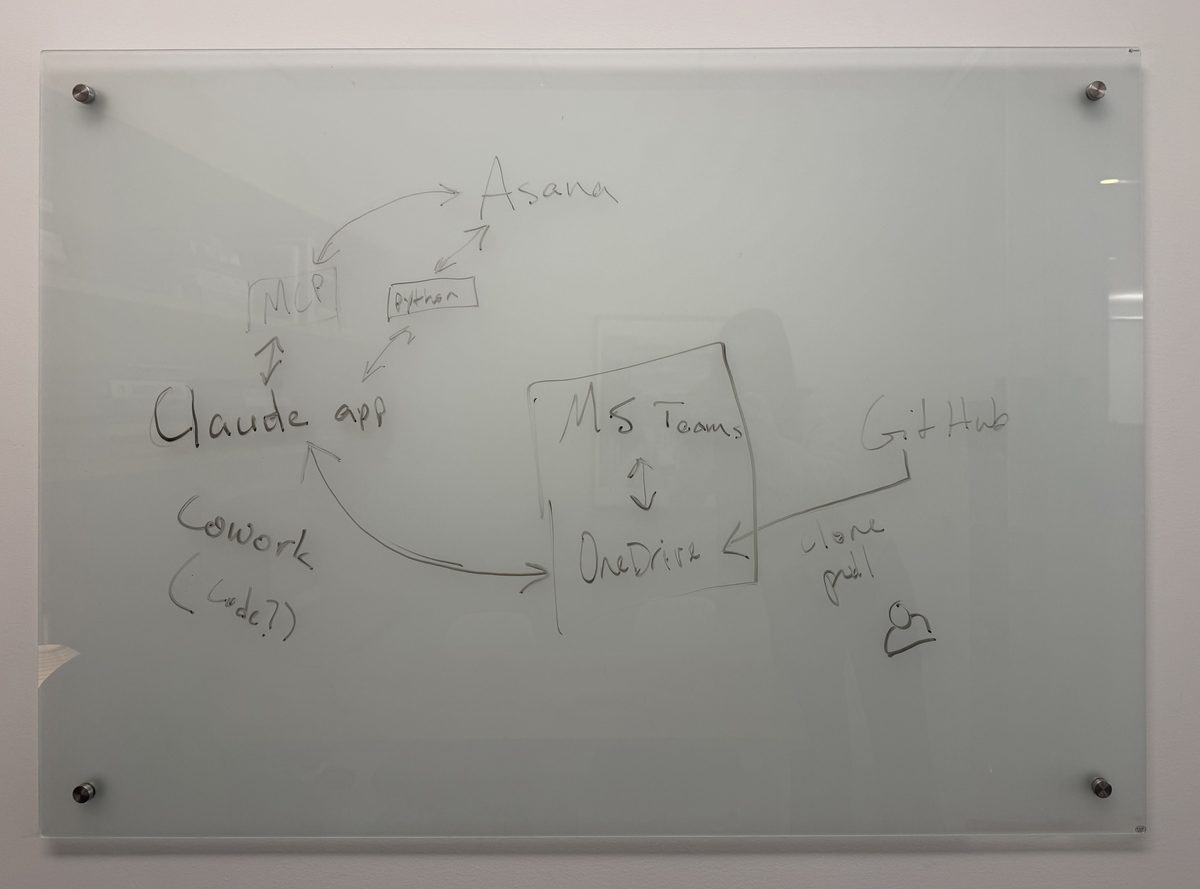
At the same time, I helped my three-person technology team scale its development capacity by creating the museum's first AI feature development workflow, connecting Claude Code, Microsoft 365, and Asana into a repeatable system for building and launching internal AI tools.
The Workflow
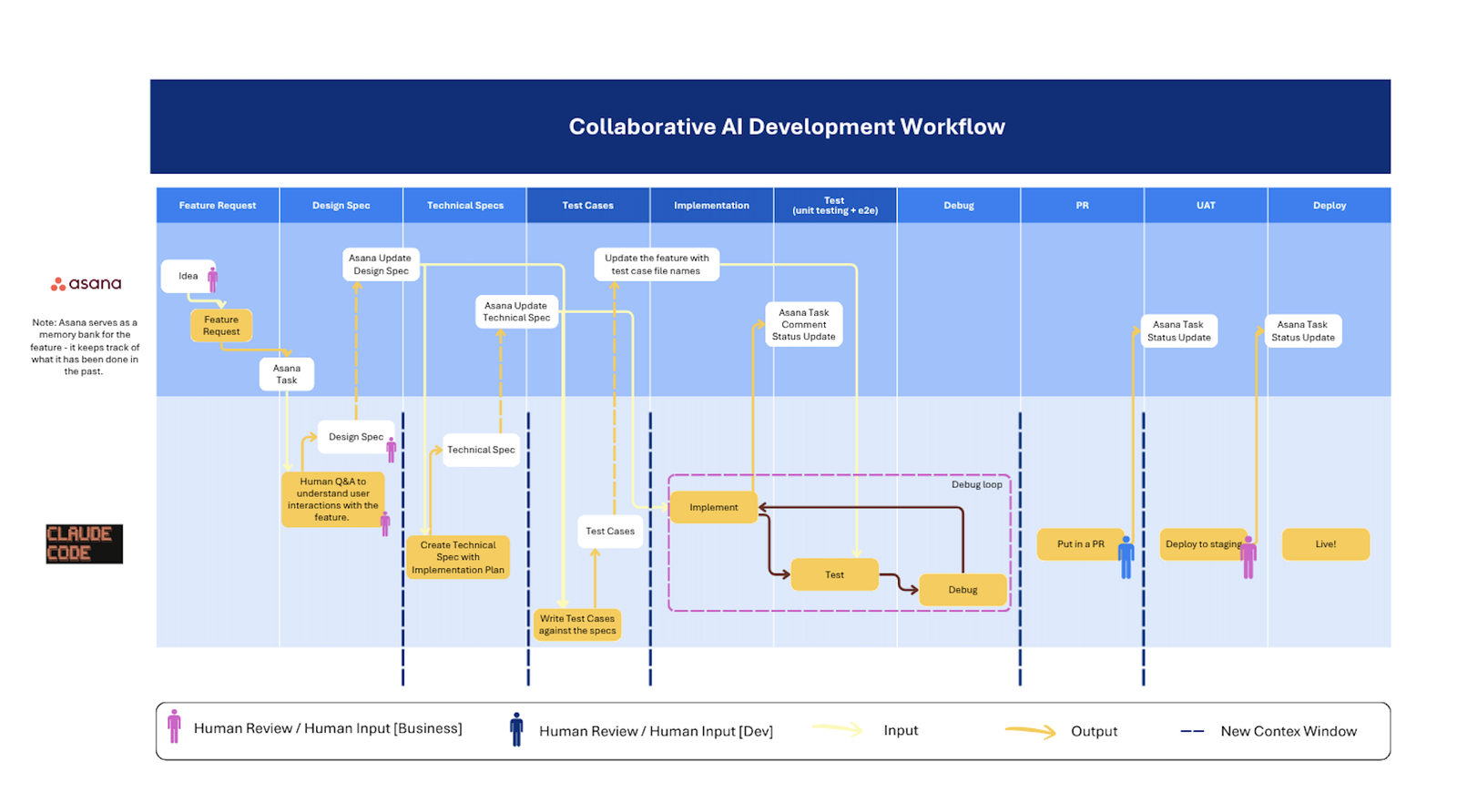
We co-designed a development workflow centered on a Product Management Agent and Claude Code, which collaborate with a human stakeholder to transform ideas into fully contextualized feature specifications.
Asana serves as the system's roadmap and memory layer, while human agency remains at key decision points. Claude accelerates development by drafting specifications and implementing features, but humans retain ownership of product direction, prioritization, and final review.
Training the Museum
An art museum is not an obvious place for AI, and the staff knew it. Some didn't believe AI belonged here at all. Others were already using it and asking for guidance. The training had to hold both: take the skeptics seriously by ensuring guidelines were in place while also giving the eager a responsible way to go further.
We approached the cognitive side: what AI does to your own thinking, when it sharpens judgment and when it dilutes it. The technical side: how to actually use the tools inside each department's real workflows.
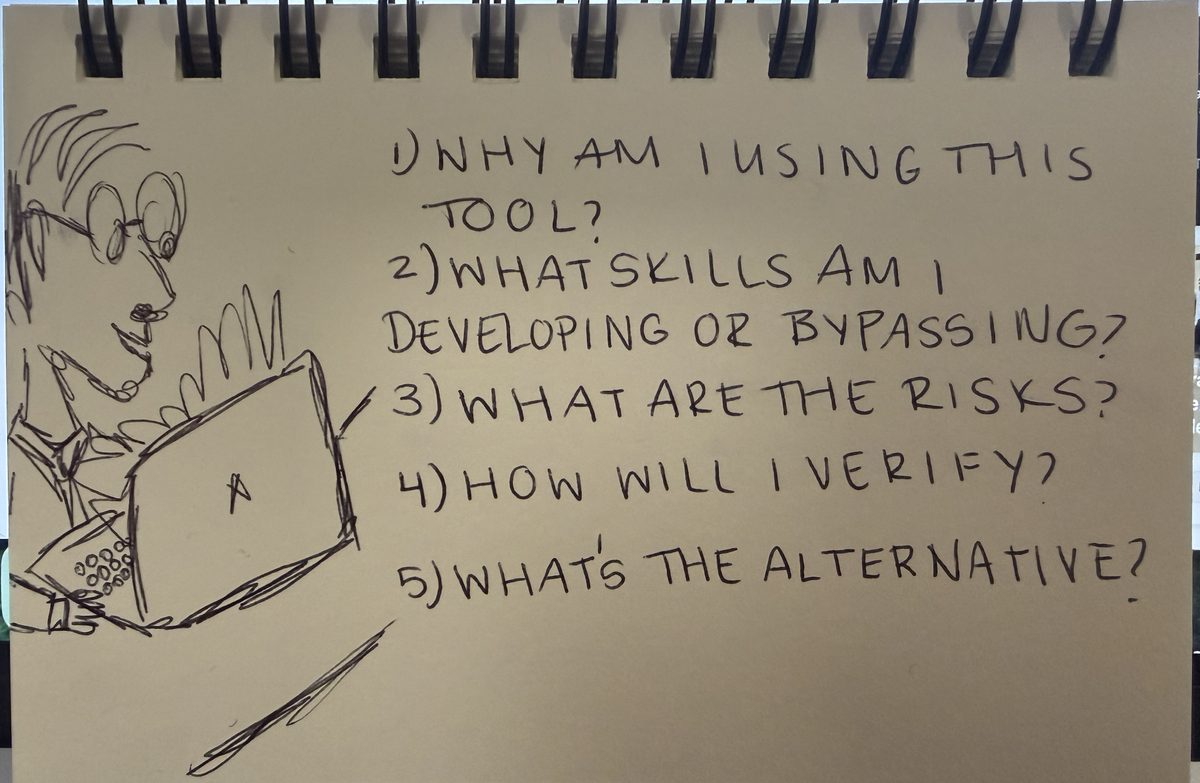
The key question: Does using AI in this way preserve the encounters through which my judgment and expertise develop?
We created a short decision-making framework that helped staff evaluate when AI was actually useful, rather than using it by default.
What It Produced
This is the practice behind the Whitney's recent products. Both were built with this Claude-assisted approach, leaving the team with a scalable and responsible way to build.